This guide explains the main ways to buy and use tickets at Kyoto Station: JR West local-train tickets, ICOCA and other IC cards, Kyoto City Subway tickets, and Tokaido Shinkansen tickets for longer journeys.
For many local trips, the simplest option is an IC card such as ICOCA, Suica, or PASMO. If you do not have an IC card, or if you specifically need a paper ticket, the automatic ticket machines near the gates are the usual place to buy one.
For shinkansen tickets, you can use ticket offices, shinkansen ticket vending machines, or online services such as Smart EX, but a ticket office is often easiest if you are unsure which ticket you need.
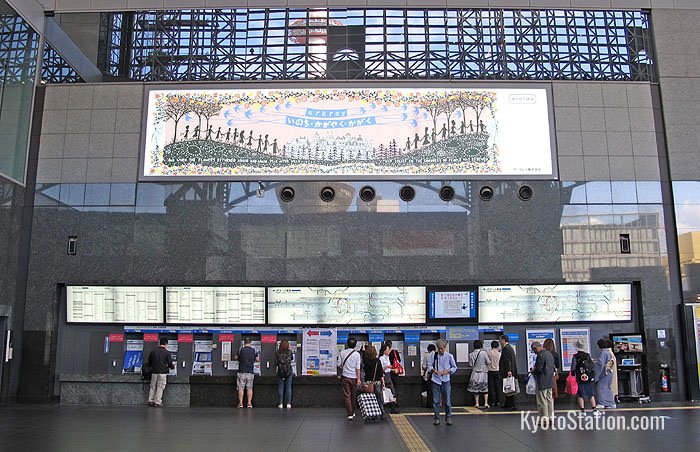
Ticket machines by Kyoto Station’s Central Ticket Gates
Buying tickets for JR West local trains
Automatic ticket machines can be found close to the JR ticket gates at Kyoto Station. They are useful for short-distance paper tickets on JR West local and rapid trains.
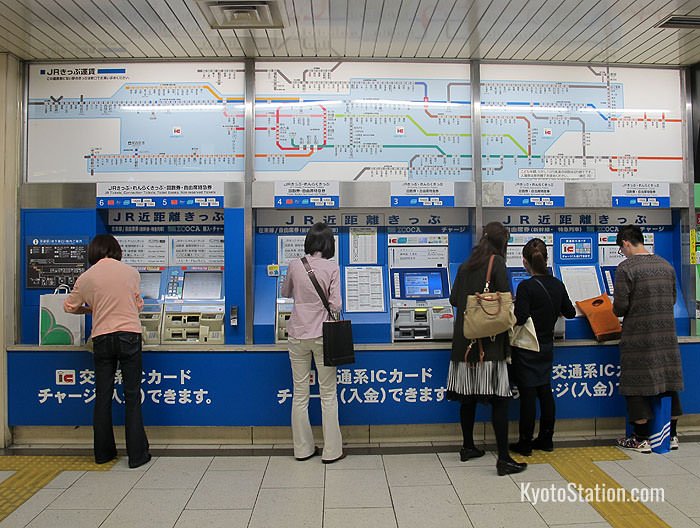
JR Ticket machines
Before buying a paper ticket, check the fare to your destination. Fare charts above the ticket machines show major destinations, usually with the station you are currently at highlighted in red. Machine layouts and screens change over time, so use the photos below as a general guide rather than an exact map of every machine.
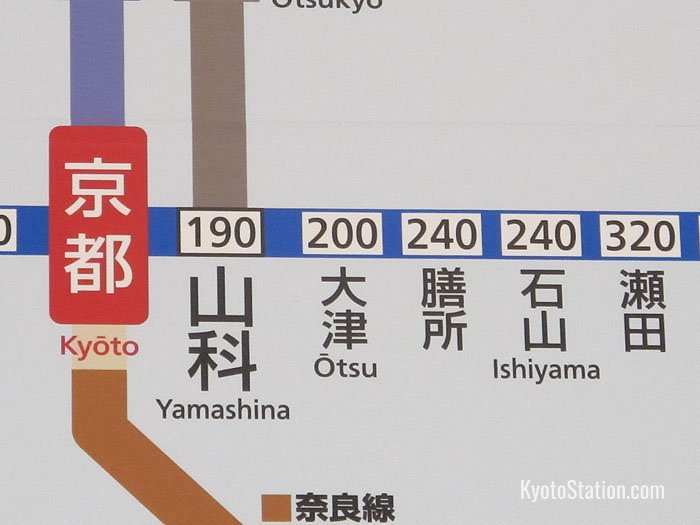
A detail from an overhead JR train fare chart
There is usually also a fare table alongside the ticket machines with popular destinations listed alphabetically in English.
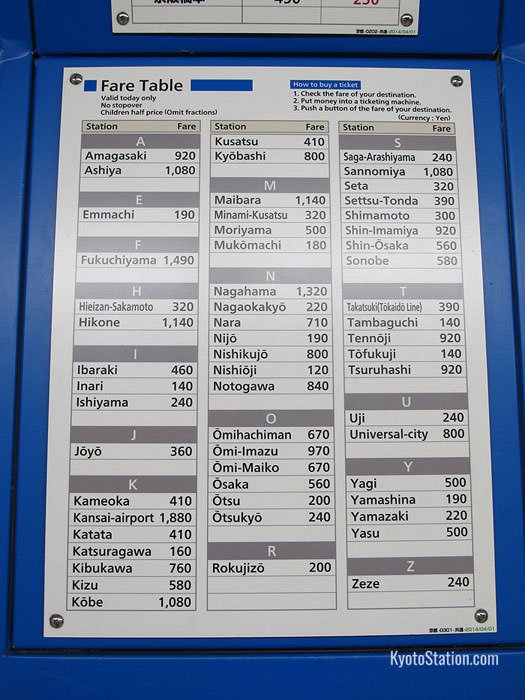
A fare table alongside the ticket machines
When using the ticket machine, look for the English guidance button. After pressing this button, instructions should appear in English.
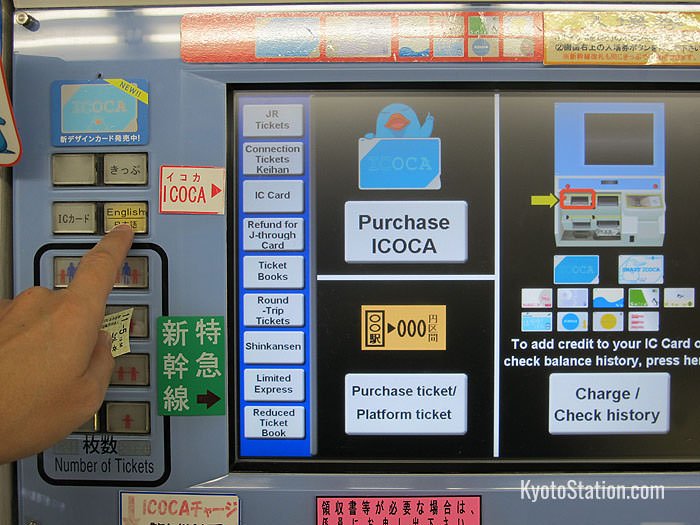
Where to find the English guidance button
Choose “Purchase Ticket” from the available options.
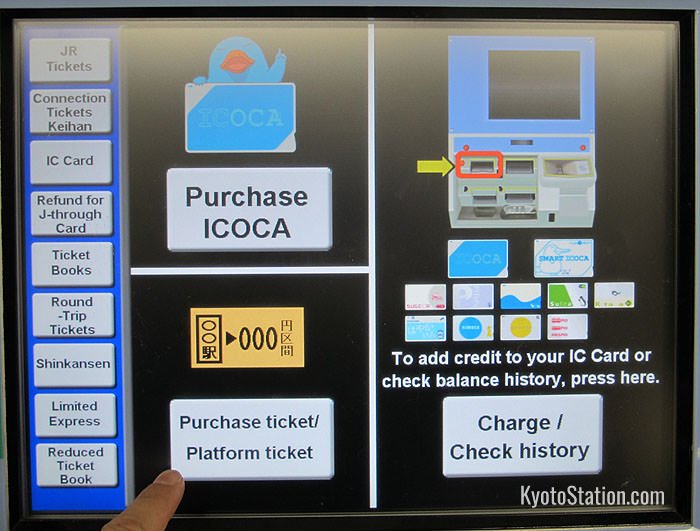
Purchase Ticket
Then choose the fare shown for your destination.
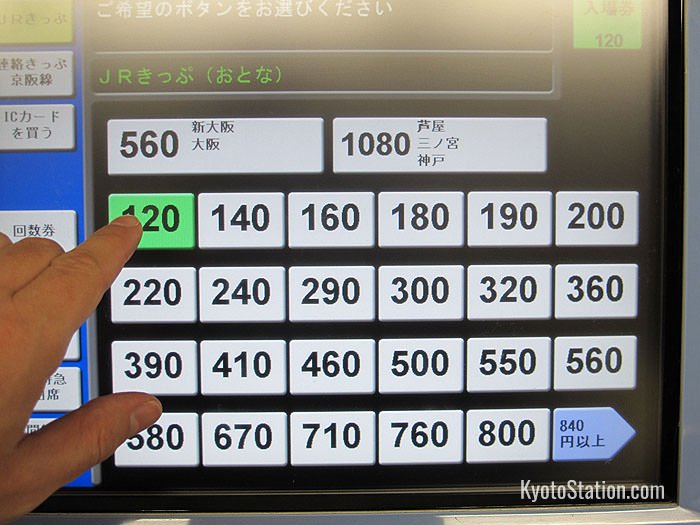
Fare options
Insert the correct amount of money into the machine. If you are paying with bills rather than coins, check the label above the bill slot. Some machines take several bill denominations, while others may accept only 1,000 yen bills.
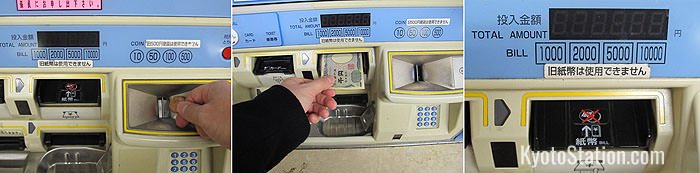
Paying for your ticket with coins. Paying for your ticket with a 1000 yen bill. This machine takes denominations of 1000, 2000, 5000 and 10,000 yen
Take your ticket and remember to collect any change.
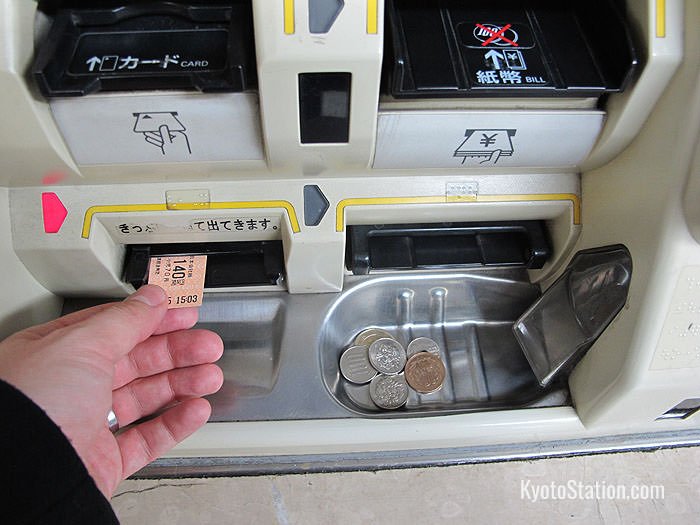
Collecting your ticket and change
You can now proceed through the automatic ticket gates. Put your ticket into the slot, walk through the gate, and collect your ticket on the other side.
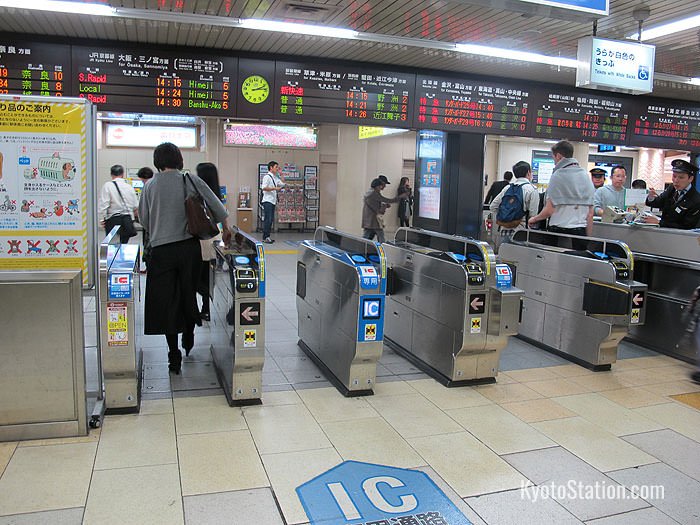
Going through the gate
When you arrive at your final destination, pass through the gates in the same way. The gate will usually keep your paper ticket at the end of the journey. If your fare is short, the gate may not let you through. In that case, pay the difference at a staffed gate or use a fare adjustment machine near the exit gates.
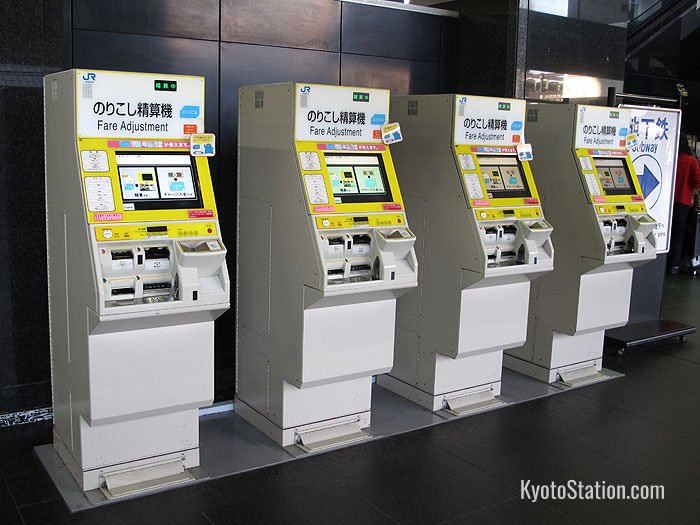
Fare adjustment machines
Buying ICOCA cards
ICOCA is JR West’s rechargeable IC card. For most short trips around Kyoto and other major cities, it is easier to tap an IC card at the ticket gate than to buy a paper ticket each time. ICOCA and compatible cards such as Suica and PASMO can be used on many JR lines, subway lines, private railways, buses, and at shops that accept IC-card payment.
At JR West stations in the ICOCA area, adult ICOCA cards can be bought from ICOCA-compatible ticket vending machines and ticket offices. A standard physical ICOCA card costs 2,000 yen, which includes a 500 yen deposit and 1,500 yen of usable stored value. Child ICOCA cards are handled separately and require age verification, so ask station staff if you need one. You can recharge ICOCA at compatible ticket machines and charge machines.
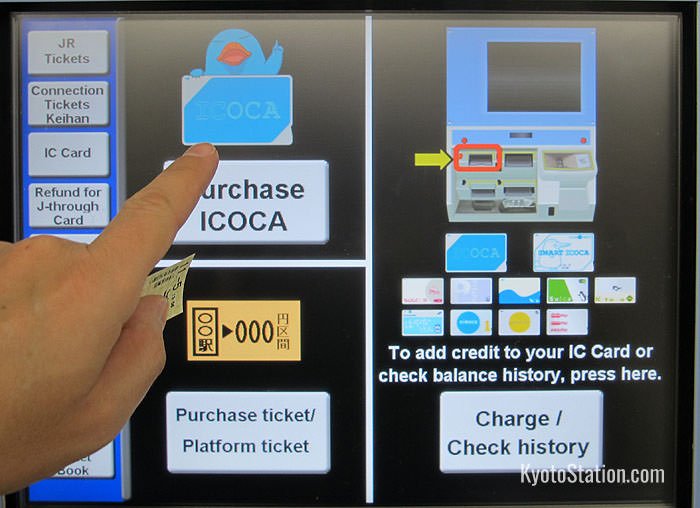
Press the ICOCA sign on the top left of the screen to purchase an ICOCA card
Buying tickets for Kyoto subway lines
For Kyoto City Subway trips, you can use a compatible IC card or buy a paper ticket from the automatic ticket machines near the ticket gates. If you are buying a paper ticket, use the fare chart first and then choose the fare button on the machine. The city’s English guidance says ordinary subway tickets cannot be bought with credit cards or debit cards, so have cash ready if you are not using an IC card.
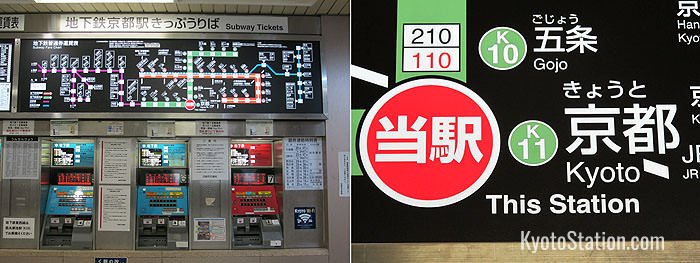
Subway ticket machines and a detail from an overhead subway fare chart
The procedure is much the same as buying a JR paper ticket. Subway fare charts give station names in English, and the station you are currently at is highlighted in red. Depending on your destination, Kyoto City Subway fares currently range from 220 yen to 360 yen for adults and from 110 yen to 180 yen for children. Fares can change, so always check the chart above the machines or the official fare table before buying.
This is a close-up view of a typical ticket machine keyboard. Note the English guidance button on the bottom left.
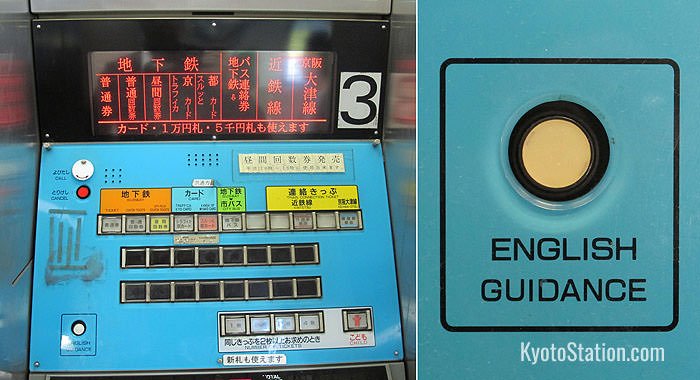
A typical subway ticket machine with the English guidance button
The machine layout may vary, but the basic process is simple. For a single adult paper ticket, insert money and press the fare button that matches your destination.
First pay some money into the machine. You can pay with coins or bills, but check which bill denominations the machine accepts.
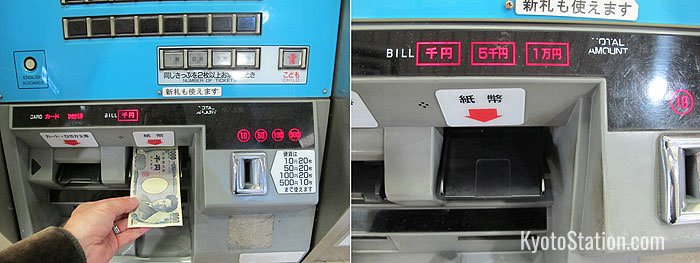
The machine on the left takes 1000 yen bills. The machine on the right takes 1000, 5000 and 10000 yen bills.
After inserting your money, fare buttons will light up. Press the button for the fare you need.
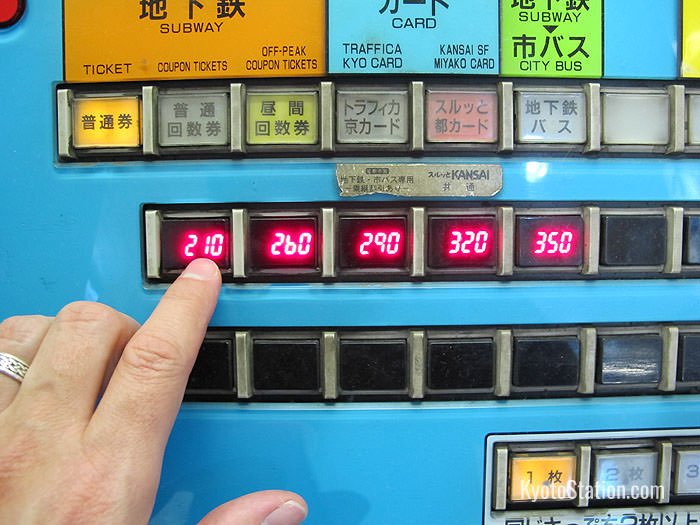
Choosing your fare
If you are buying a ticket for a child, press the child ticket button before choosing the fare. On this machine, it is located on the bottom right of the keyboard.
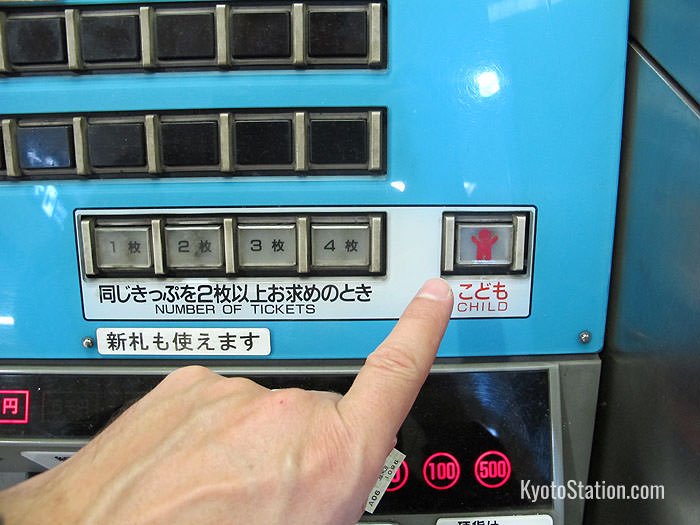
Press the child ticket button and then choose the appropriate fare button
If you have put enough money into the machine, you can also buy more than one ticket at a time. On this machine, the “NUMBER OF TICKETS” buttons are on the bottom right of the keyboard.
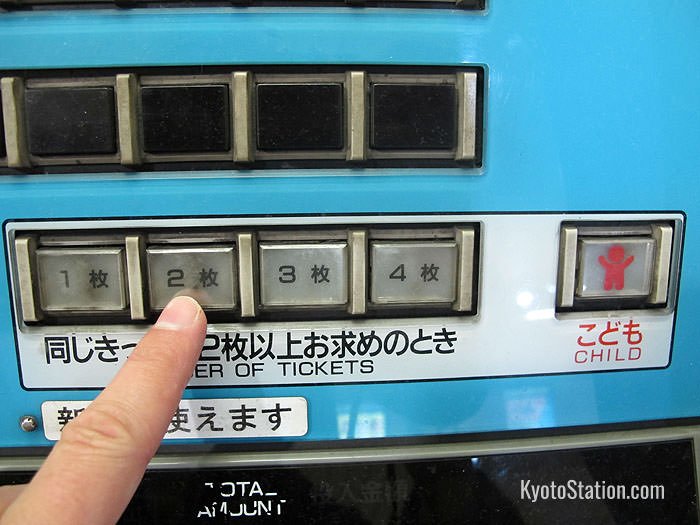
Choose the correct number of tickets and then choose the appropriate fare button
After pressing the fare button, collect your ticket and any change from the bottom of the machine.
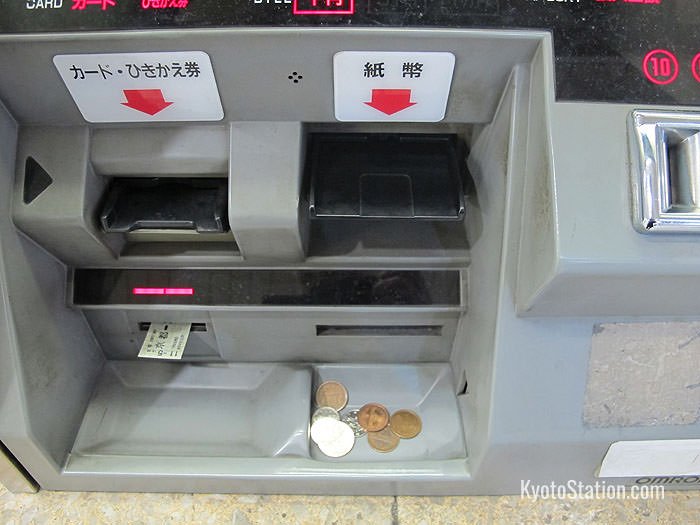
Don’t forget to collect your tickets and change
If you make a mistake, press the red “CANCEL” button and start again.
You can then proceed through the automatic ticket gates. Put your ticket into the slot, walk through, and collect your ticket on the other side.
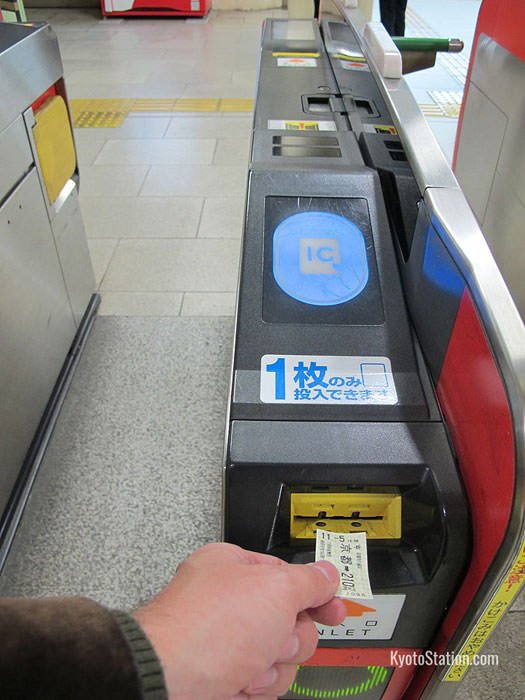
At the subway ticket gate
Buying tickets for the Tokaido Shinkansen
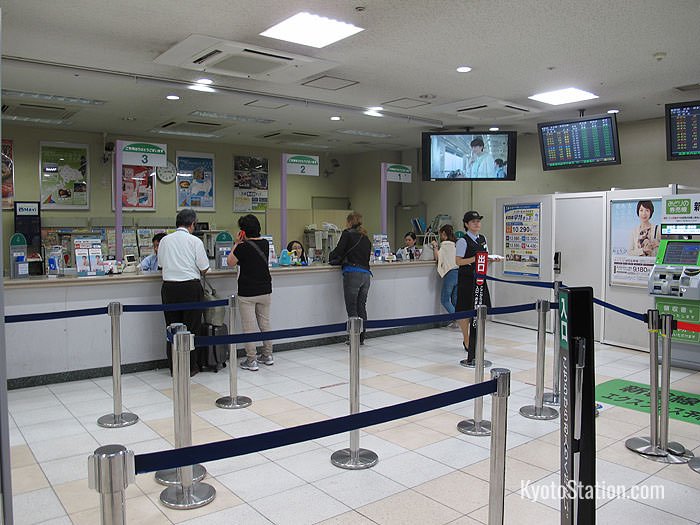
Inside a ticket office at Kyoto Station
For Tokaido Shinkansen trips from Kyoto Station, you can buy tickets at a JR ticket office, from a shinkansen ticket vending machine, or online through services such as Smart EX. Ticket vending machines have English menus and are convenient for straightforward trips. A ticket office is still a good choice if you are buying for a complicated itinerary, using a rail pass, traveling in a group, or unsure which tickets you need.
When buying shinkansen tickets, be ready to provide or choose the following information:
- The number of travelers.
- The departure station and destination.
- The date and time of travel.
- One-way or return.
- Preferences: Ordinary Car or Green Car, and reserved or non-reserved seating.
Tokaido Shinkansen trains are non-smoking onboard, so there is no smoking-seat preference to choose.
Preferences: Ordinary or Green Car? Reserved or non-reserved?
When buying your tickets, you need to decide on your seat preferences. There are two main classes of carriage on shinkansen trains: Ordinary Cars and Green Cars. Ordinary Car seats are comfortable enough for most journeys, while Green Car seats are larger and offer more comfort, quiet, and leg-room. Green Car tickets are more expensive and must be reserved in advance. If you are purchasing a Japan Rail Pass, you must also choose between an Ordinary Pass and a Green Pass.
For ordinary tickets, both non-reserved seats (自由席 – jiyu seki) and reserved seats (指定席 – shitei seki) may be available in different carriages. Reserved seats cost a little extra, but during busy periods, particularly national holidays, non-reserved carriages can fill up. If you want a guaranteed seat, it is worth making a reservation.
Ticket types
For a shinkansen journey, you normally need a basic fare ticket (乗車券 – joshaken) and a limited express ticket (特急券 – tokkyuken), which may include your reserved-seat information. Depending on how and where you buy, these may be printed separately, printed together, or handled through an online or IC-linked ticketing process. Keep every ticket or pickup slip you receive until you are through the gates, but remember that a receipt is not a travel ticket.
If you are using paper tickets, you will need the correct ticket or tickets to pass through the shinkansen gates. If you are unsure which pieces to insert at the gate, ask station staff before entering. You can also see an English guide to reading JR Central tickets on the JR Central website.
Article and original photos by Michael Lambe. All rights reserved. Last updated 25-Jun-2026.